| Support Category: Course | Drop/Remove |
| Specialist Notes: |
Users can only remove courses they self-registered for. Courses assigned by someone else cannot be removed by the user, whether mandatory or optional.
HOW SHOULD WE ASSIST?
|
| Canned Response Code: /Dexcom08 |
| Standard Response: |
To remove a self-assigned course, kindly follow the instructions below:
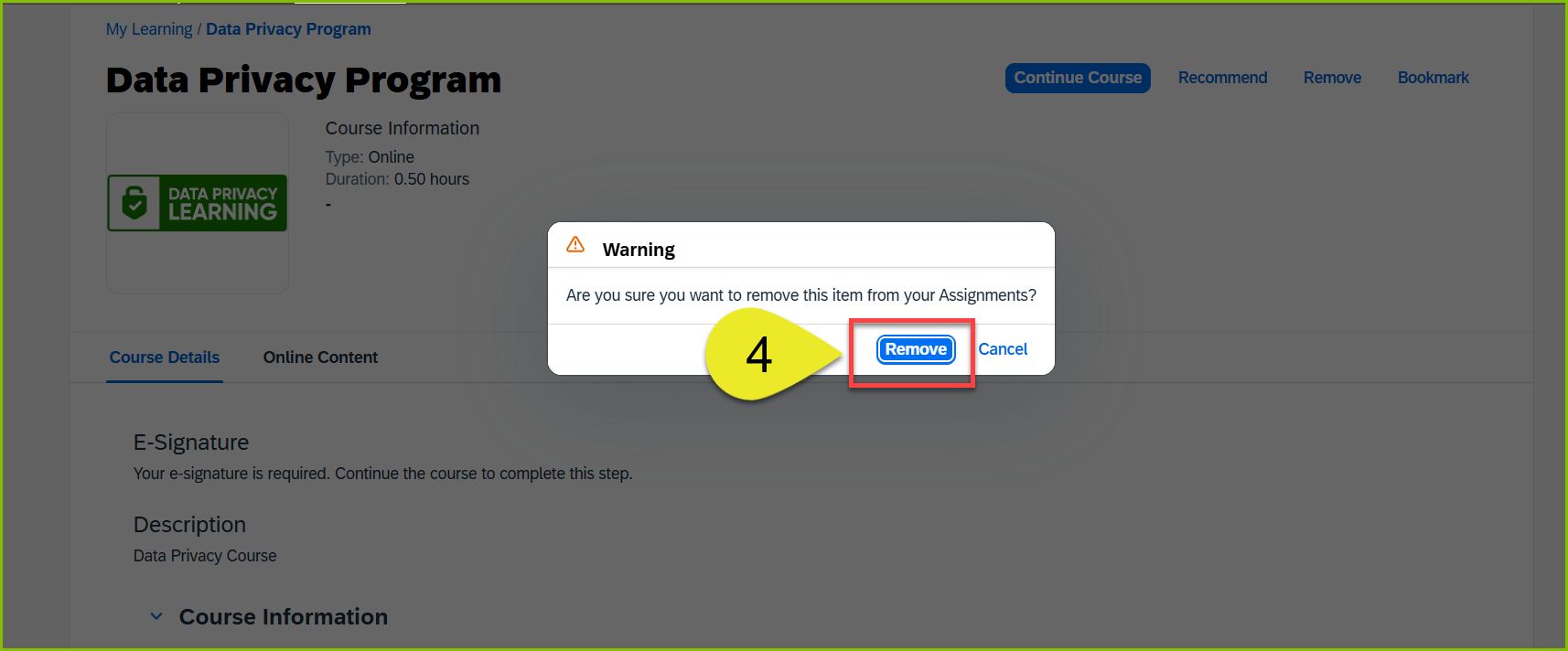
1. Go to the "Invest in Myself (Self-Assigned Trainings)" section on your DLC homepage and click the "View All" link.
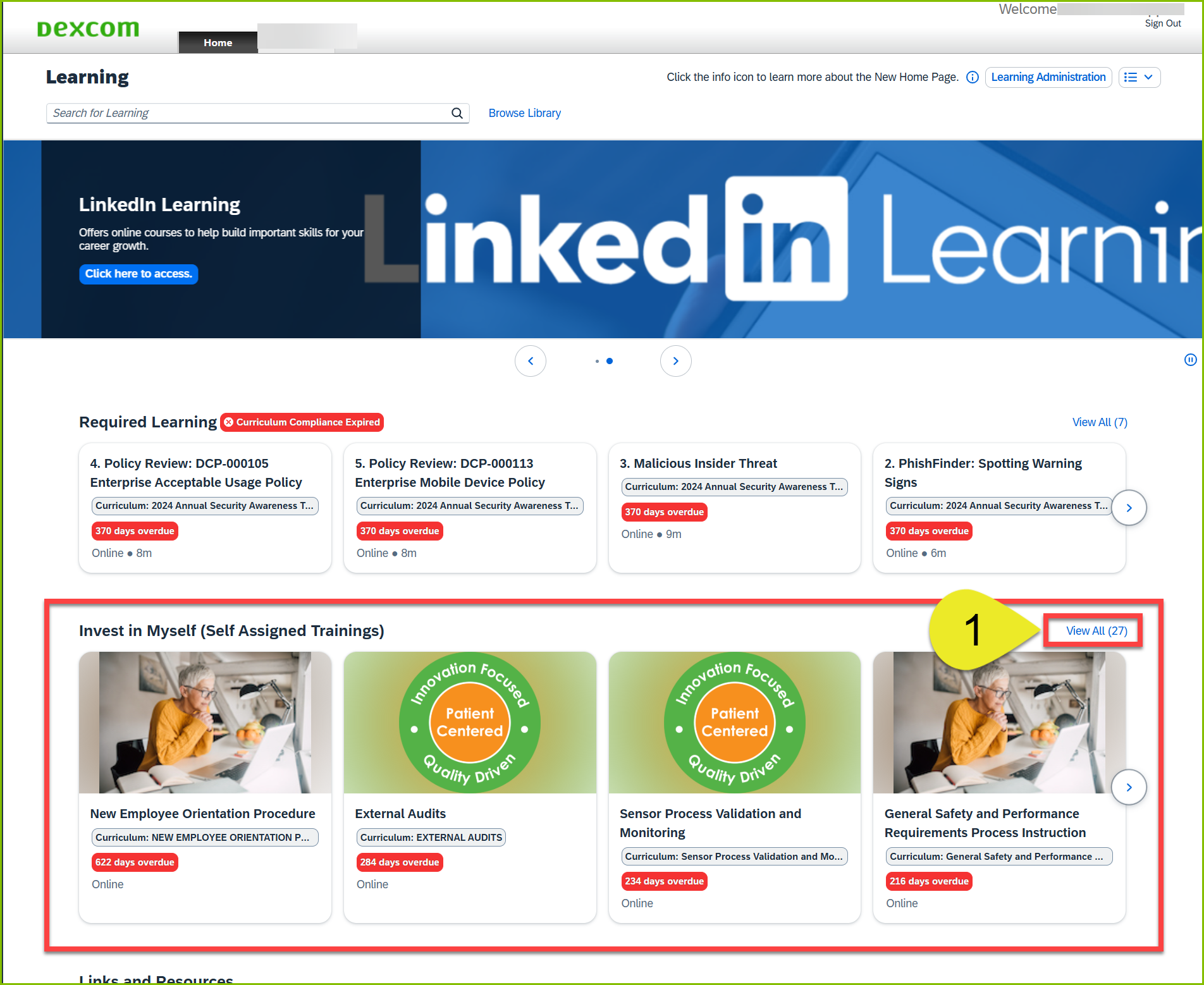
2. Locate the course from the expanded list and click on the course box to open the course details page.
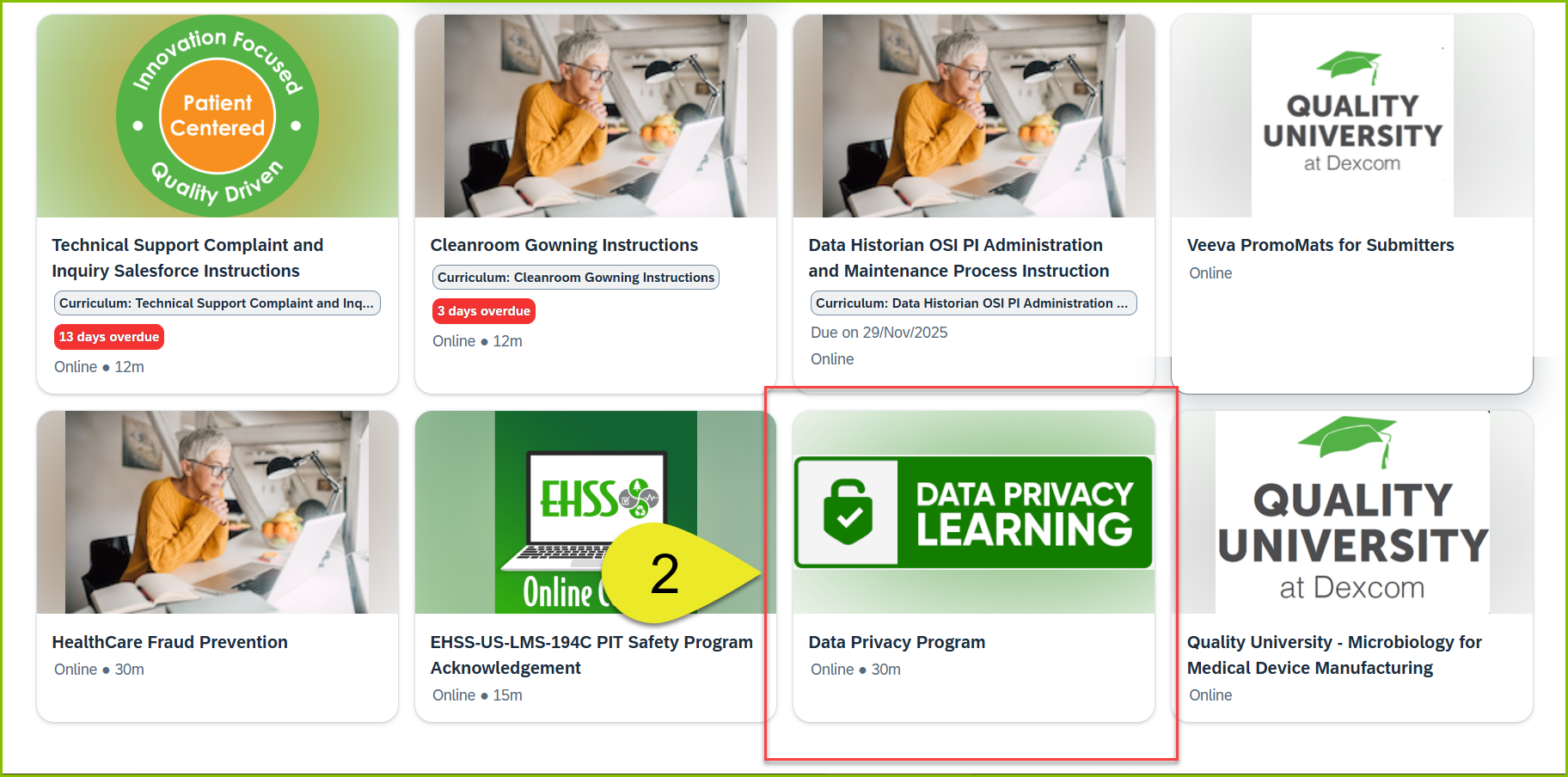
3. From the course details page, click "Remove."
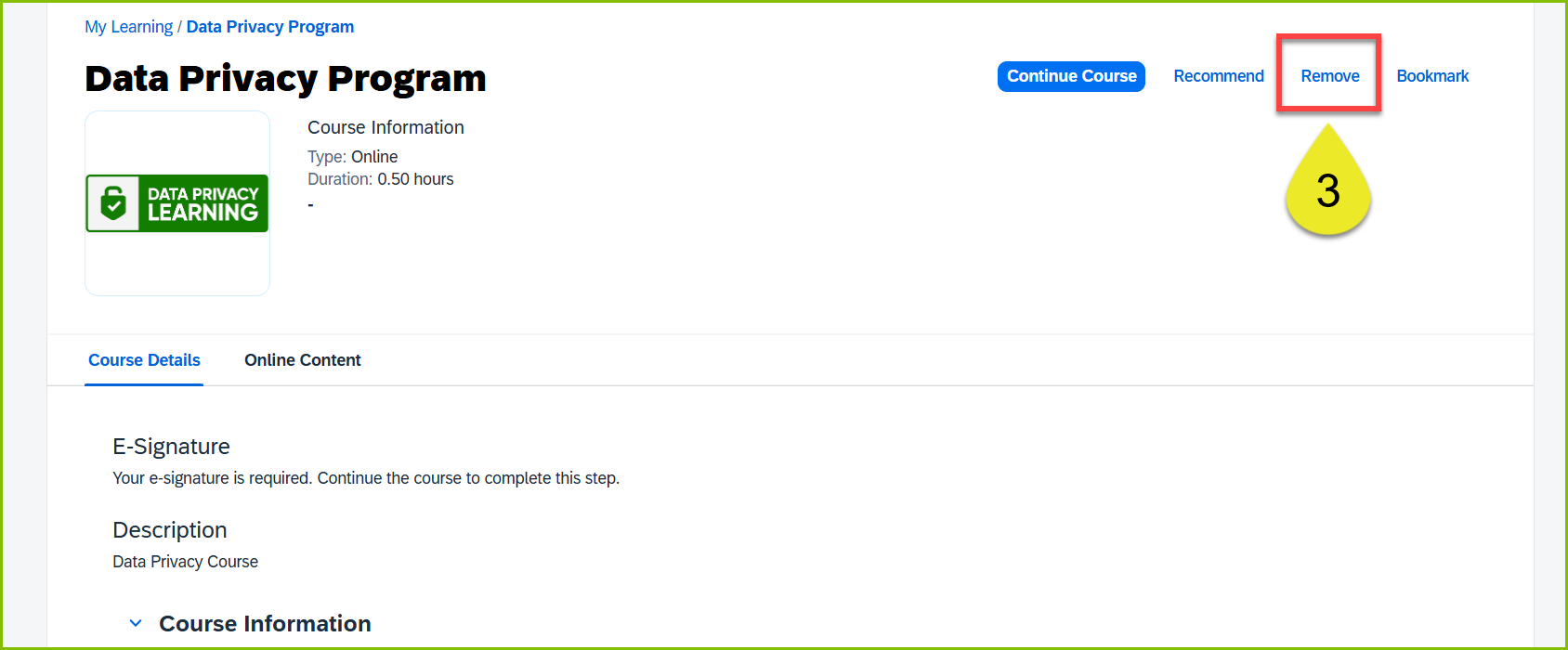
4. Click "Remove" from the Warning dialog box to remove the training.