| Support Category: Course | Drop/Remove |
Users can only remove courses they self-registered for. Courses assigned by someone else cannot be removed by the user, whether mandatory or optional.
HOW SHOULD WE ASSIST? - Self-registered: Provide the instructions in the SR below.
- Assigned by someone else: Locate and provide the course contact information, as they will be able to assist further.
- Escalate if:
|
| Canned Response Code: /Dexcom13 |
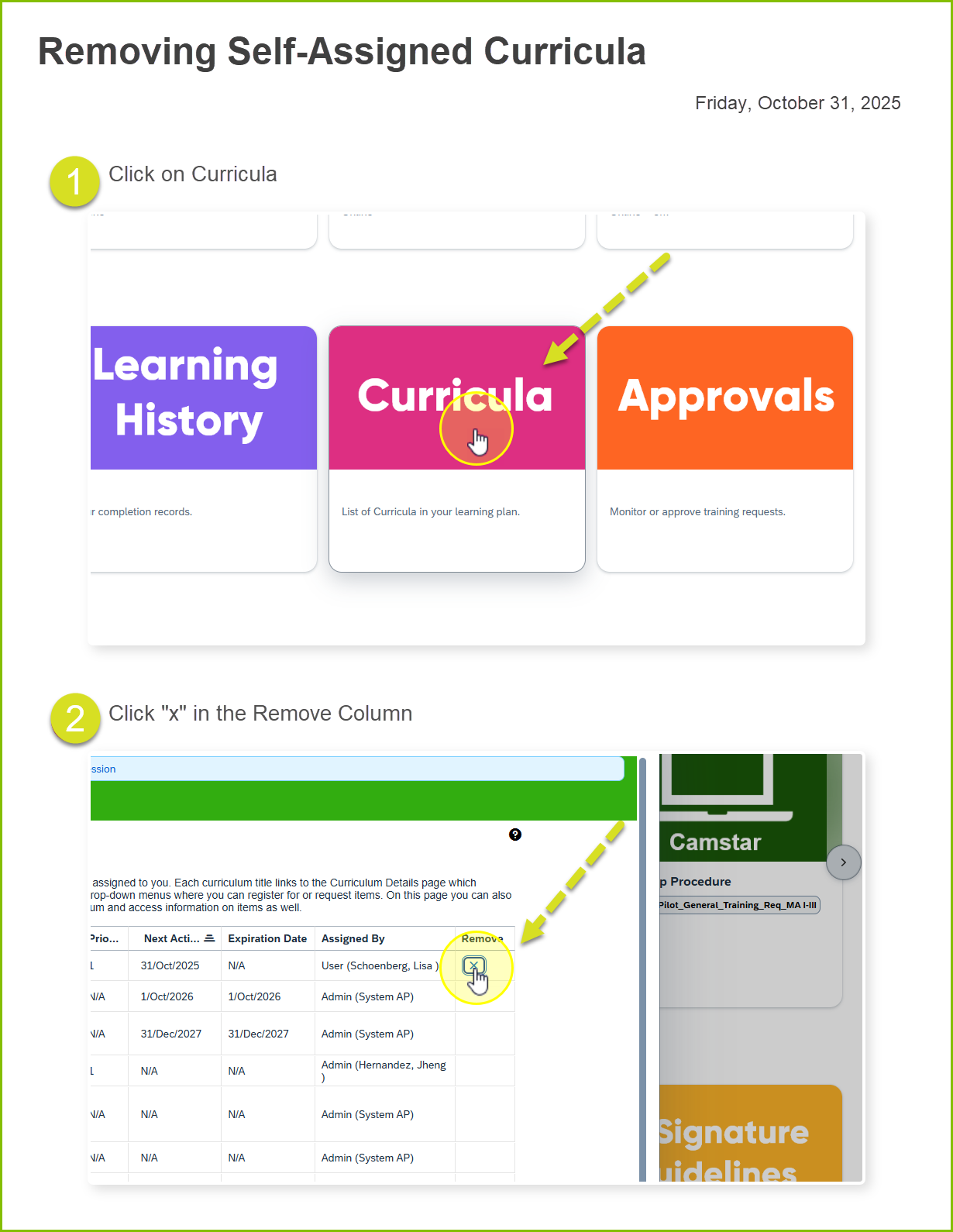
To remove a self-assigned curriculum, kindly follow the instructions below:
1. Navigate to your curricula via the custom card at the bottom of the page.
2. Here, you will see a list of curricula and an 'X' button next to any that you have permission to remove.